Run Your Coaching Institute. Not Its Paperwork.
Desktop-based coaching institute management software uniting student profiles, flexible fee tracking, daily attendance, exam scorecards, and complete WhatsApp parent communication into one organized command centre.
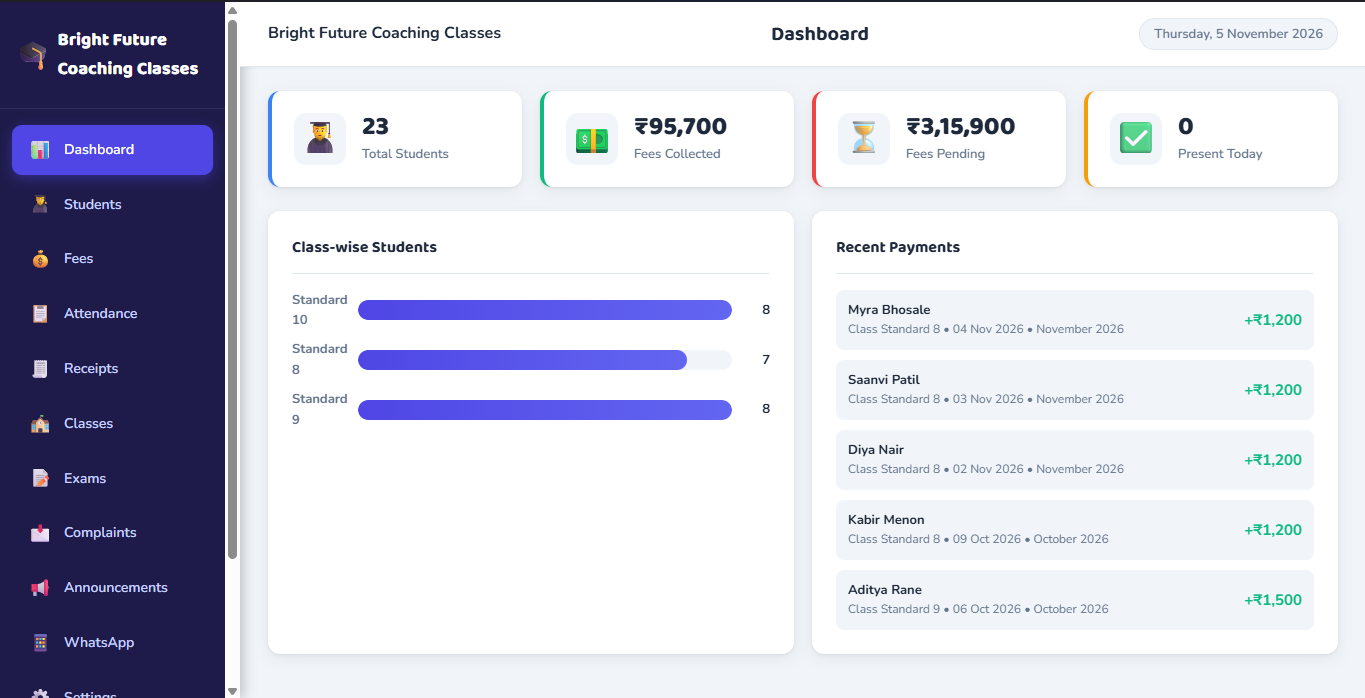
Engineered as Dedicated Desktop Software.
ClassBee runs directly on your computer with a dedicated local SQLite database. Core records remain stored on your machine, while WhatsApp communication and Google Drive backups operate when an active internet connection is available.
- Primary database runs locally on your workstation using SQLite for core administrative tasks.
- WhatsApp messaging and Google Drive backup functions connect seamlessly over the internet.
- Custom institute settings, receipt numbering sequences, and configurable WhatsApp signatures.
Everything Your Institute Runs On. All in One Place.
Explore how ClassBee unifies daily coaching tasks with structured, purpose-engineered desktop tools.
Student & Class Management
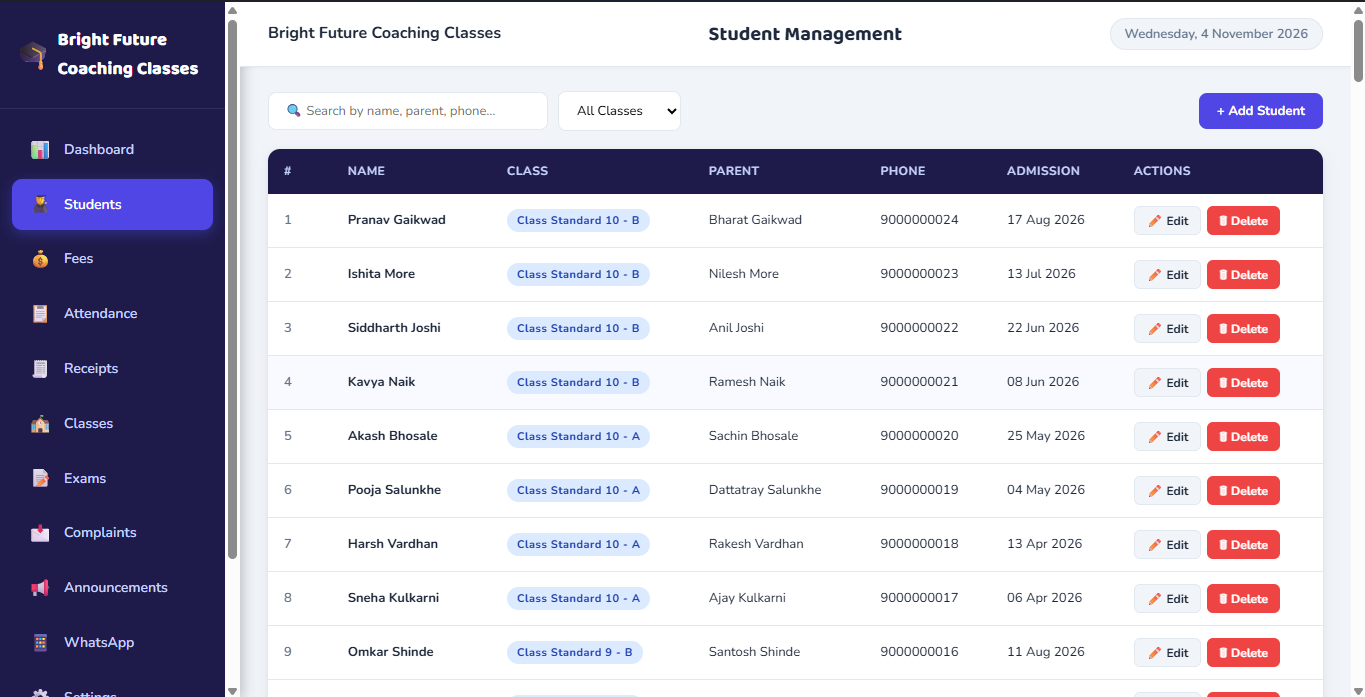
Add, search, edit and delete student records. Maintain guardian contacts and assign students to classes and divisions cleanly.
Fee & Payment Management
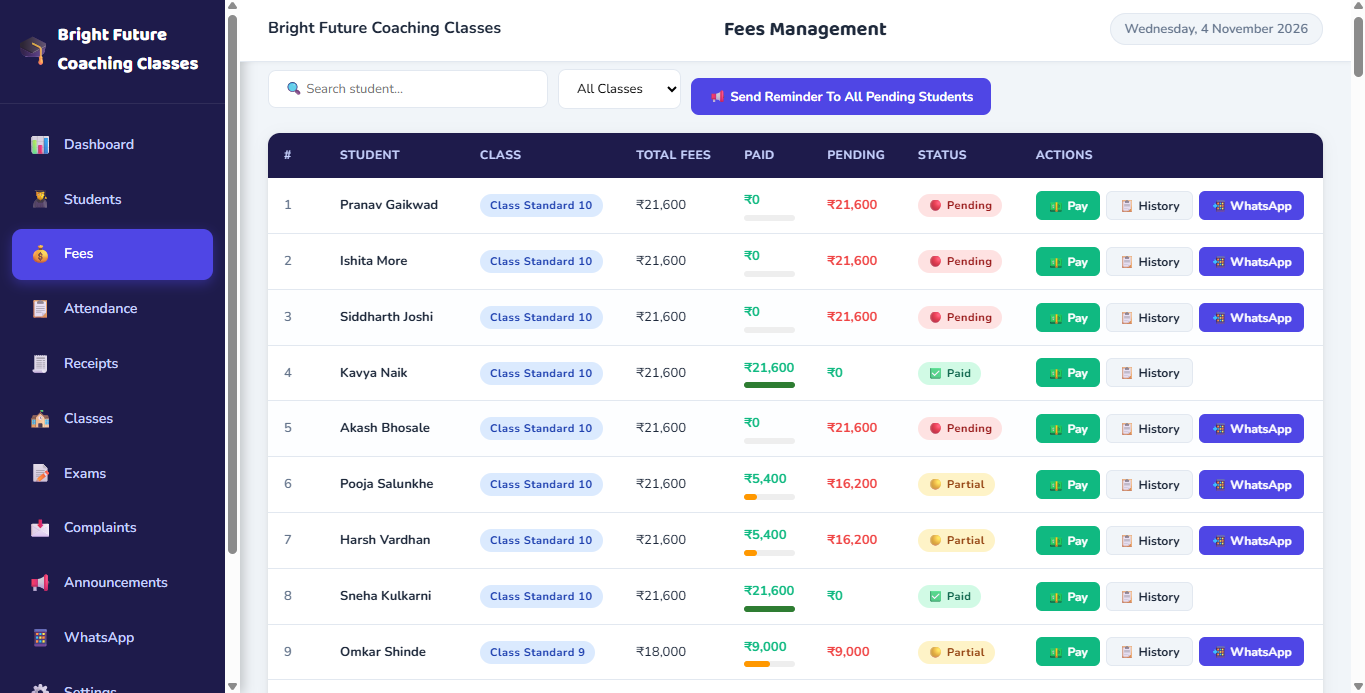
Track paid and pending dues with monthly, quarterly, half-yearly or yearly cycles, protected against overlapping periods.
Complete WhatsApp System
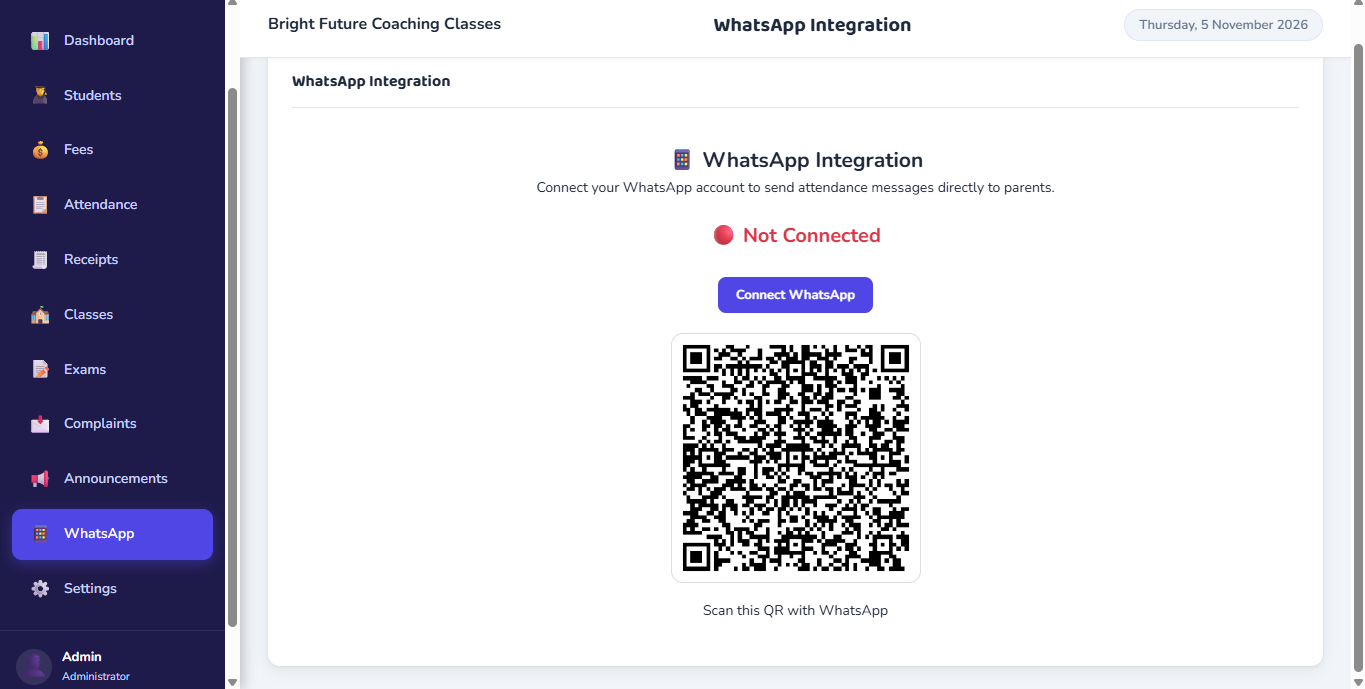
Fee reminders, one-click attendance alerts, one-click report card PDFs, and class announcements via QR pairing.
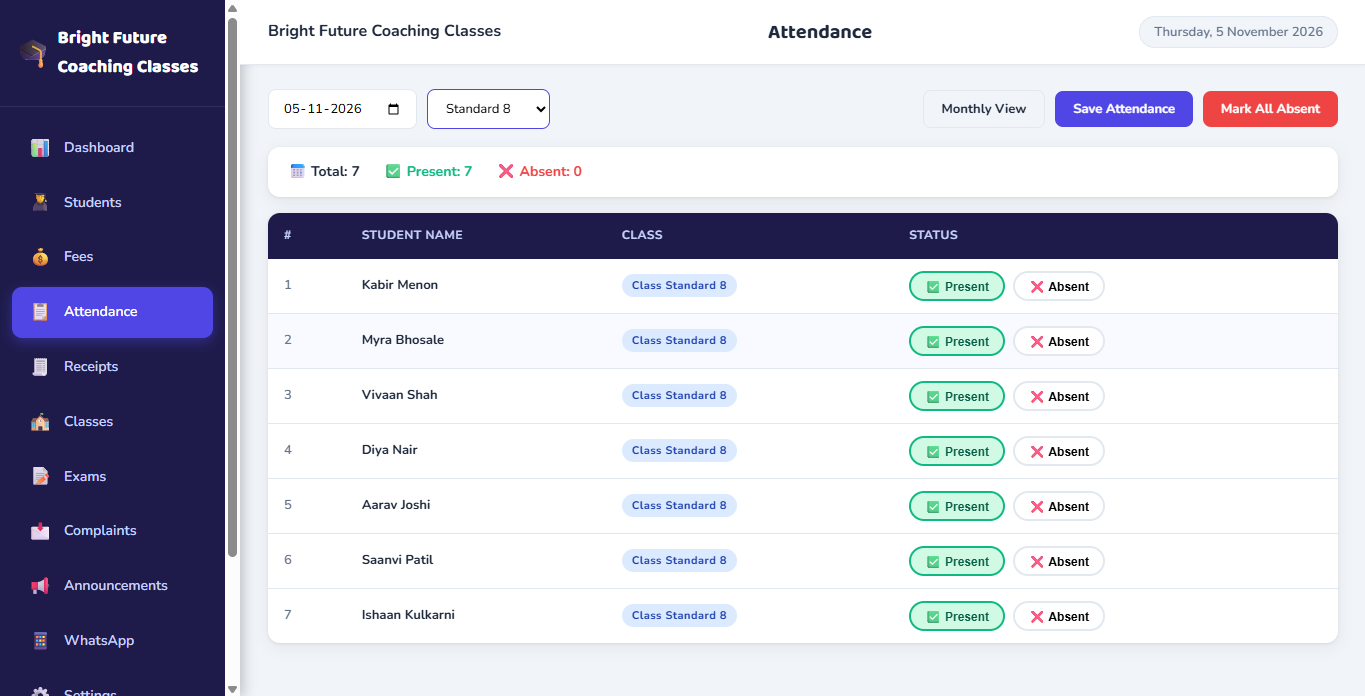
Daily & Monthly Attendance
Filter by date, class and division. Inspect monthly registers with present/absent counts, percentages, and absent dates.
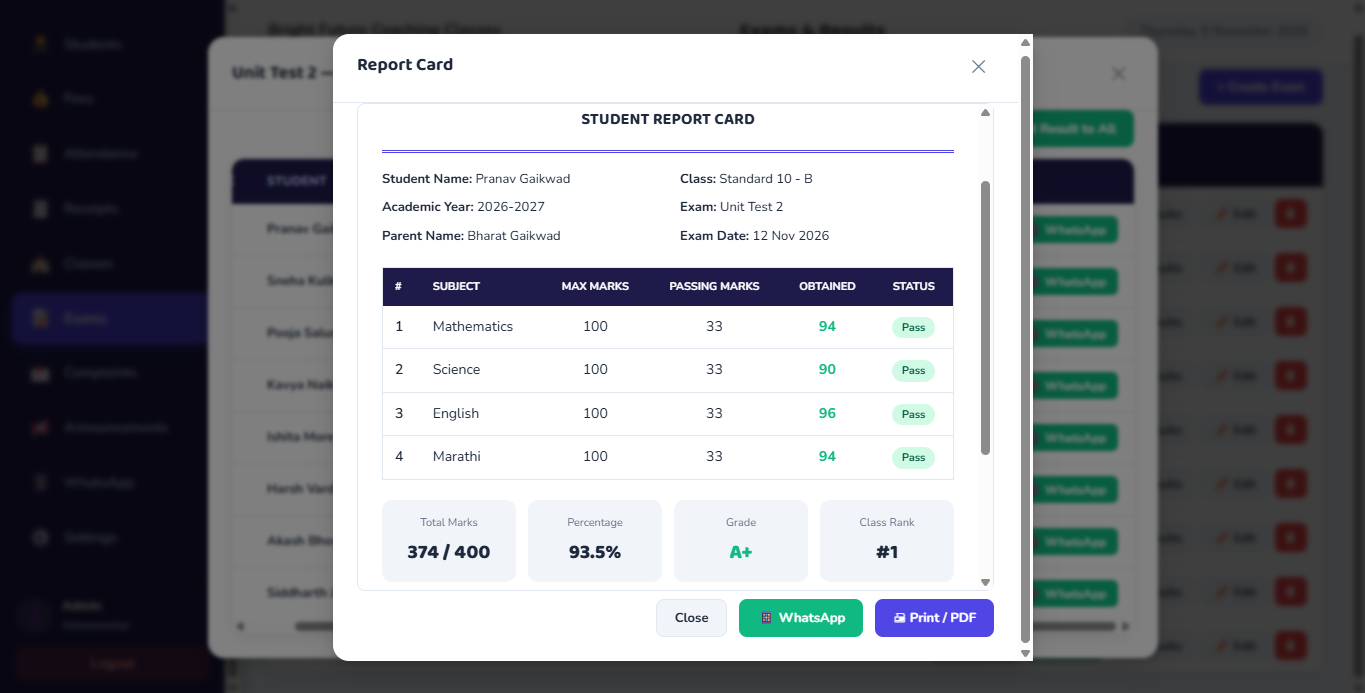
Tests & Report Cards
Schedule exams, enter subject-wise marks, compile student results, and deliver report-card PDFs directly to parents.
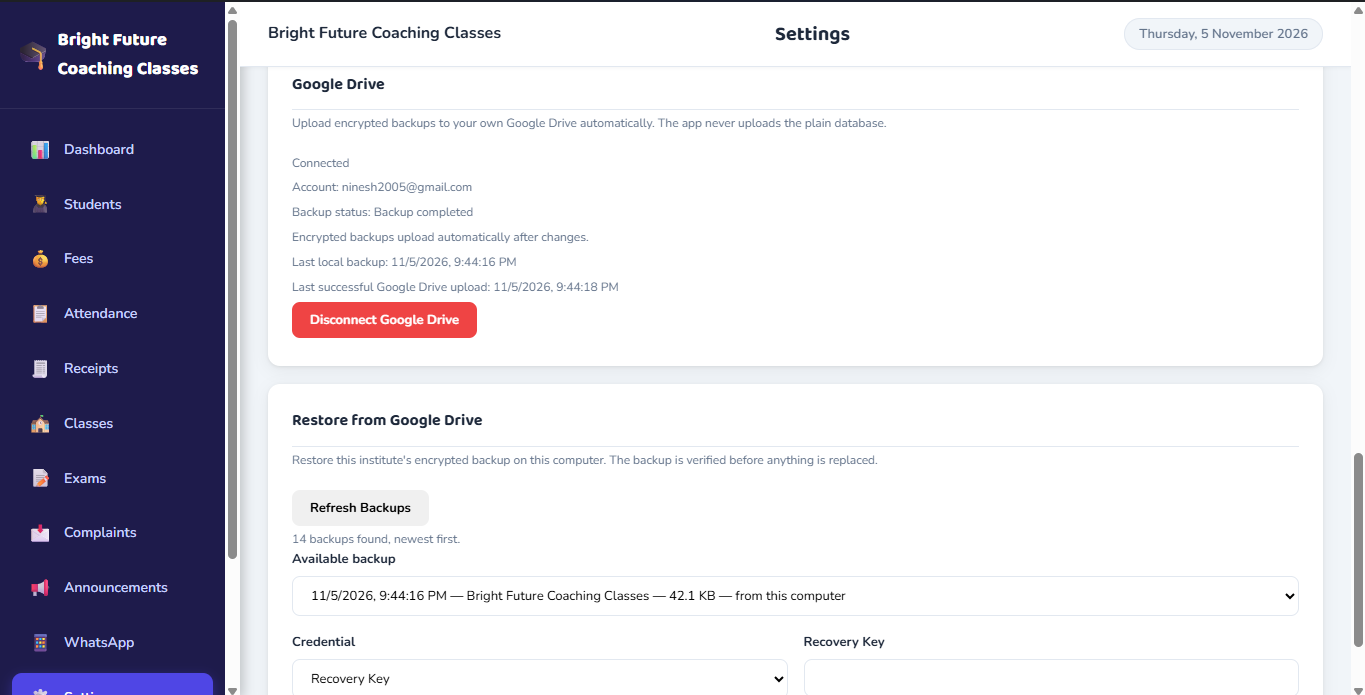
Local SQLite Database & Encrypted Backup Snapshots
Data is stored locally on your workstation. Create manual database backups anytime and export encrypted snapshots to your private Google Drive for disaster recovery.
Stay Connected With Every Parent — Right From ClassBee.
Send individual and bulk fee reminders, share attendance updates, deliver report cards as PDFs with one click, and communicate important notices through targeted class announcements.
1. Fee Due Reminders
Send individual or bulk reminders displaying outstanding fee-period details and applicable pending amounts before dispatch.
2. Attendance Updates
Tested and working one-click attendance updates sent directly to relevant students’ parents upon daily register marking.
3. Report Card PDFs
Tested and working one-click direct PDF sharing. Examination report cards are delivered straight to respective parents.
4. Class Announcements
Broadcast circulars targeted to all classes, a specific class, or a specific class and division with preview and confirmation.
Actual ClassBee Desktop Application • QR Session Pairing with Ephemeral Connection Security
Administrator-Triggered Execution: All messaging features — fee reminders, attendance notices, report cards, and announcements — are administrator-triggered one-click actions with preview and confirmation. Messaging uses local browser automation (whatsapp-web.js with Puppeteer) and does not require official WhatsApp Business API approvals.
Structured Fee Billing & Payment History
Manage student fees cleanly with configurable billing cycles, automated period tracking, duplicate period protection, and sequential receipt generation.
Local SQLite Storage & Encrypted Snapshots
ClassBee keeps your data stored locally on your physical machine. Manual database backup and restore tools are included, with optional encrypted snapshot export to your Google Drive account for disaster recovery.
Google Drive integration is designed for encrypted snapshot backup and disaster recovery, not live multi-device database synchronization. This ensures your records remain private on your computer.
From Consultation to Daily Management in 5 Steps
No complex server deployment or IT engineers required. We guide you every step of the way.
Book a Demo
Schedule a tailored live demonstration to walk through actual ClassBee features.
Discuss Requirements
Discuss your coaching class structure, student management needs, and enquire about pricing.
Configure Institute
Set up your institute details, admin credentials, receipt numbering, and WhatsApp signature.
Enrol Students
Create classes, set divisions, configure fee cycles, and enrol students with parent contacts.
Manage Daily
Mark attendance, collect fees, preview receipts, and dispatch WhatsApp alerts with encrypted backups.
Supported Operating Systems
ClassBee is engineered for 64-bit Windows (10 & 11) and macOS (Intel & Apple Silicon). Connect with our team to discuss your institute setup and explore how ClassBee operates on your workstation.
See ClassBee in Action. Book a Live Demo.
Discover how daily administrative tasks can be streamlined with dedicated desktop software. Connect with our team to schedule a walkthrough tailored to your institute.