Every Tool Your Institute Needs. Built for the Desktop.
ClassBee consolidates your administrative routine into desktop-based software. Core student and fee records reside in a local SQLite database on your machine, while WhatsApp messaging and Google Drive backups operate over an active internet connection.
Stay Connected With Every Parent — Right From ClassBee.
Send individual and bulk fee reminders, share attendance updates, deliver report cards as PDFs with one click, and communicate important notices through targeted class announcements.
1. Fee Due Reminders
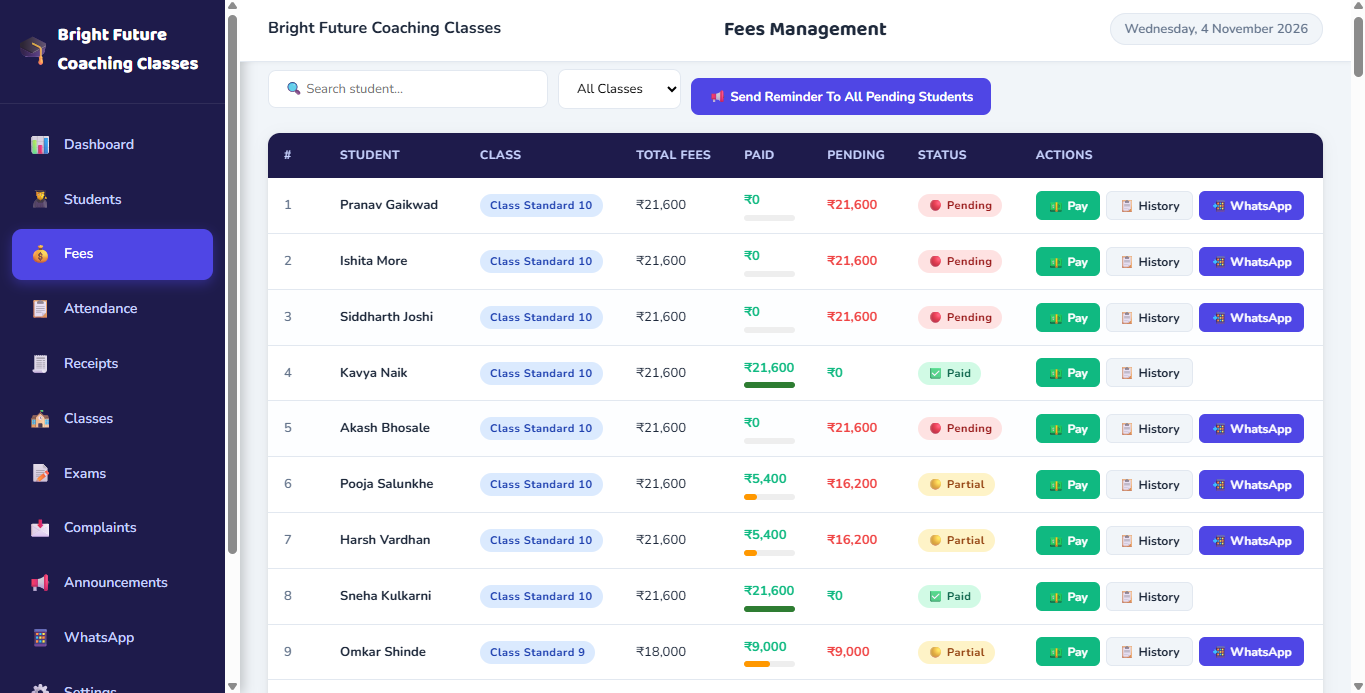
Trigger individual or bulk fee reminders. Displays outstanding fee-period information and applicable pending amounts before dispatch.
2. One-Click Attendance Updates
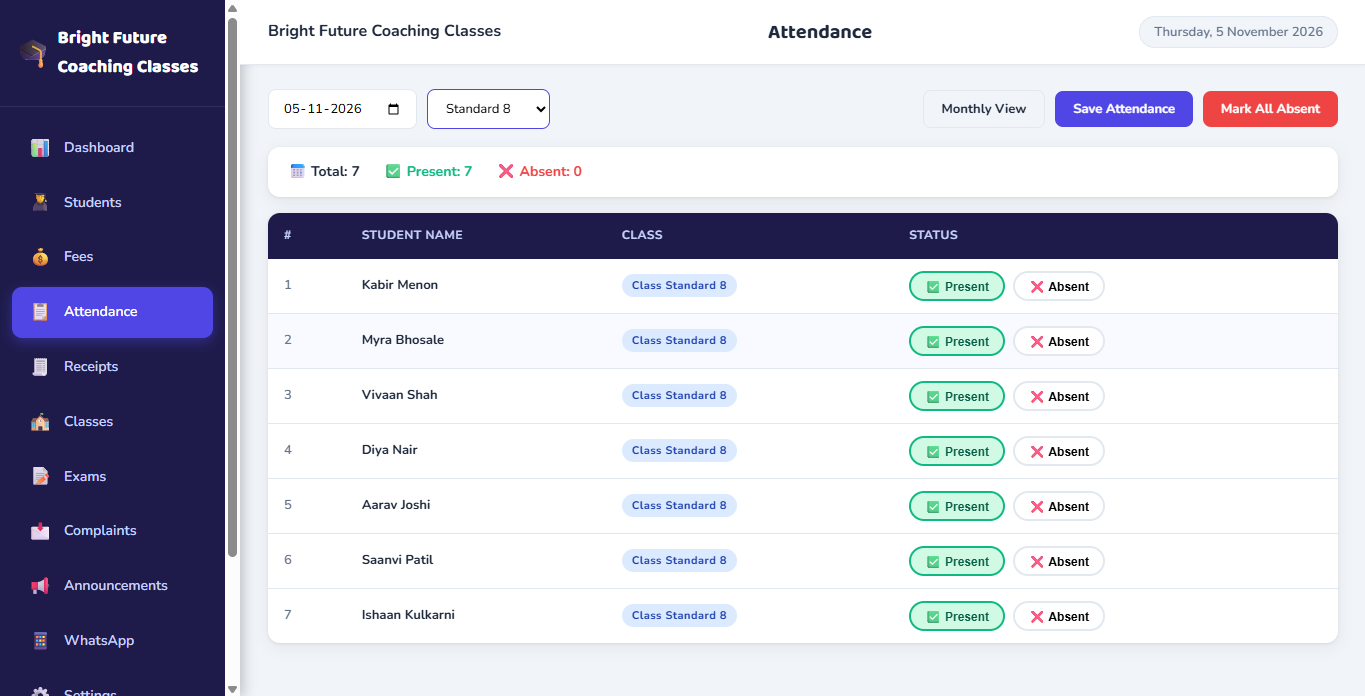
Mark daily class attendance and send one-click attendance updates to relevant students’ parents directly from the attendance register.
3. Report Card PDF Sharing
Deliver compiled examination report cards directly to respective student parents as attached PDF files with one click.
4. Targeted Announcements
Broadcast circulars to all classes, a specific class, or a specific class and division with preview and confirmation before sending.
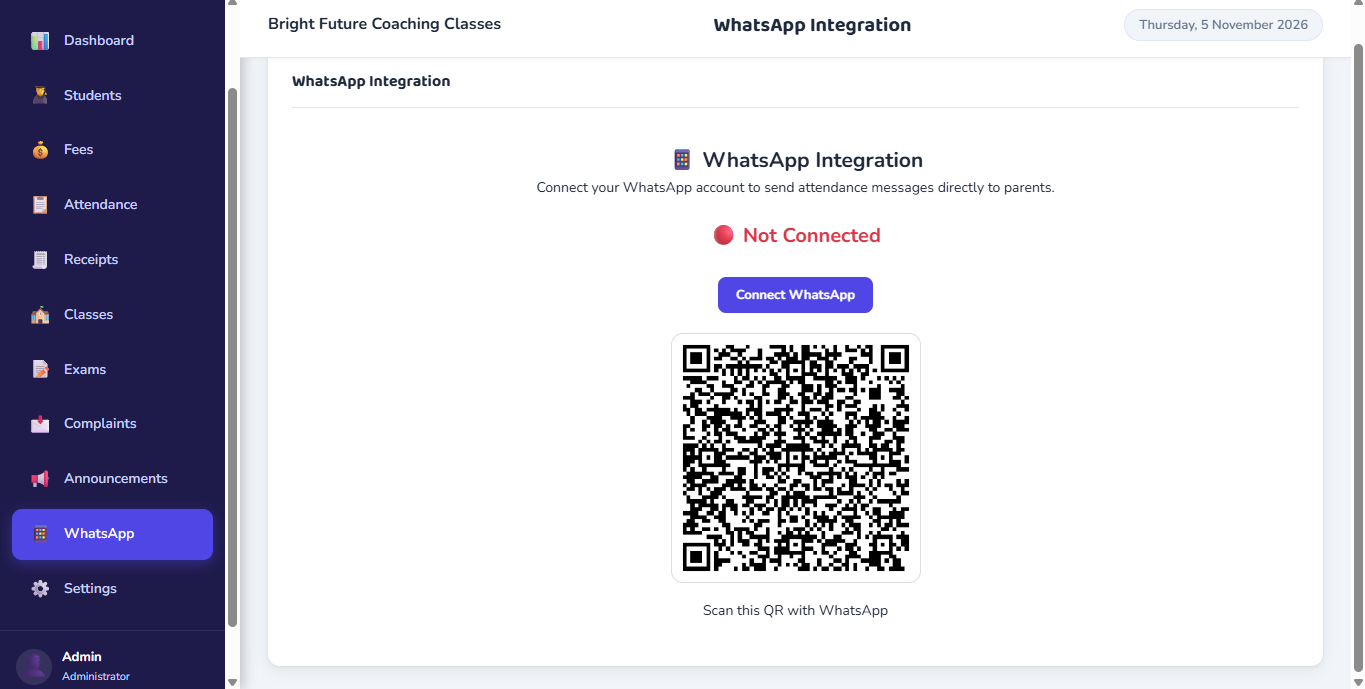
Technical Transparency: ClassBee WhatsApp communication uses local web session automation (powered by whatsapp-web.js and Puppeteer). All messaging actions — including fee reminders, attendance notices, and report cards — are administrator-triggered actions, not background scheduled messaging. It does not require official WhatsApp Business API or Meta platform approvals.
Student & Class Management
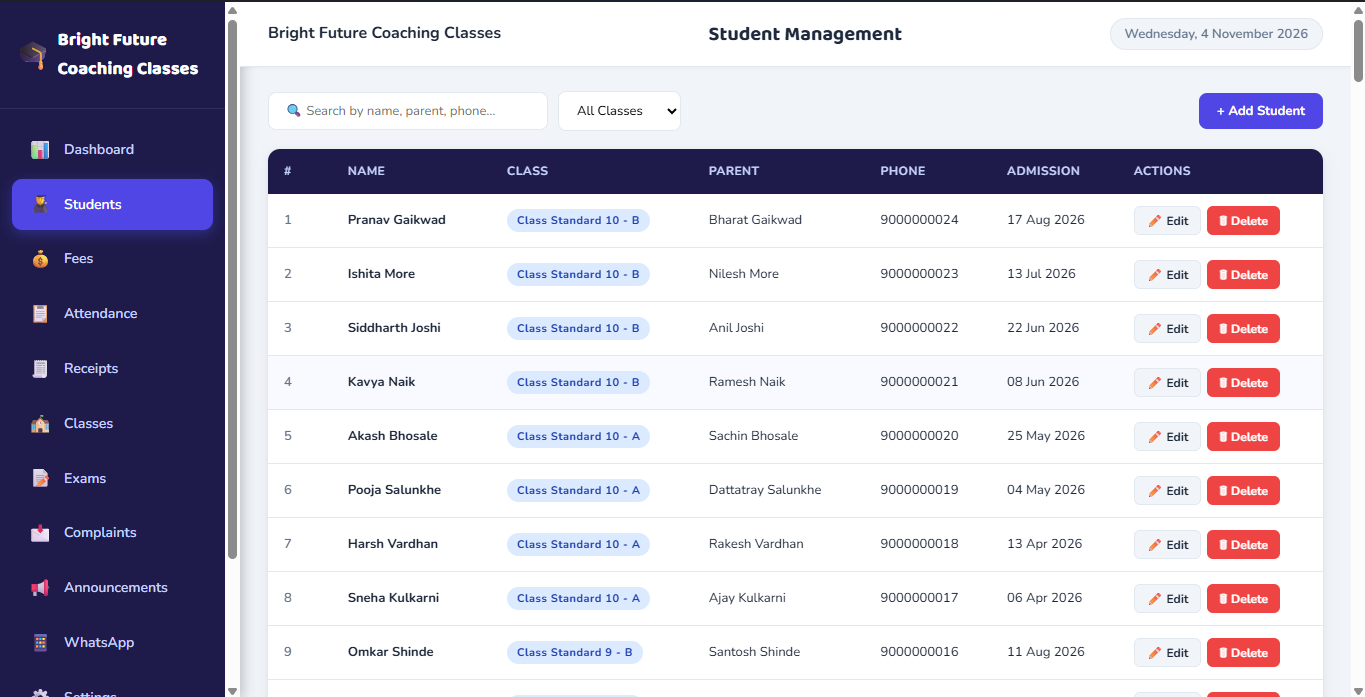
Maintain accurate records of every enrolled student without messy spreadsheets. Manage classes, configure divisions, and assign students to their appropriate academic groups in one place.
Fee & Payment Management
Configure structured fee plans, log student payments with fee-period preview, prevent duplicate billing periods, and automatically generate sequence-numbered receipts for printing.
Daily & Monthly Attendance
Record daily attendance with clear class and division filters. Monitor monthly attendance registers, check student attendance percentages, and send one-click attendance updates to relevant students' parents.
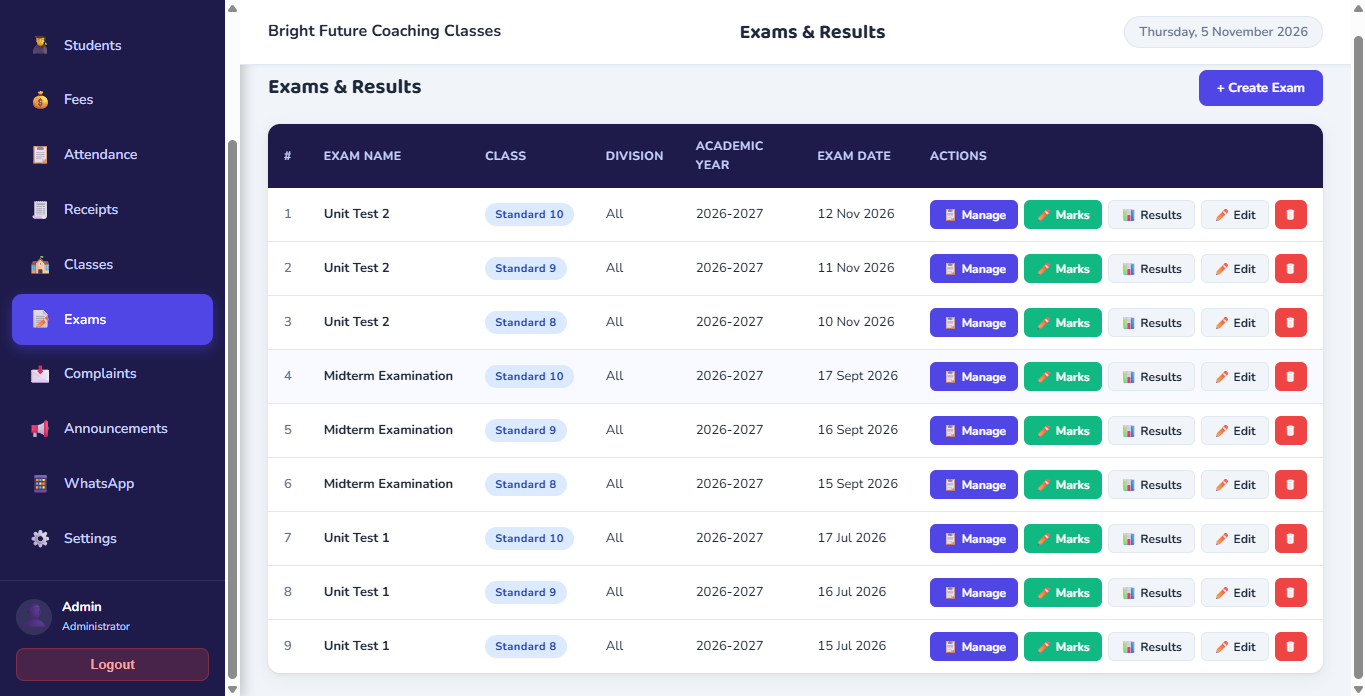
Examinations & Report Cards
Manage academic assessments, record subject-wise marks, compile student results, preview student report cards, and deliver them directly to parents as PDF attachments.
Dashboard, Announcements & Institute Administration
Everything required to oversee daily operations, communicate circulars, log student feedback, and manage institute configuration.
Dashboard & Analytics
Overview of total students, fees collected, pending amounts, present counts today, class-wise distribution chart, and recent payments.
Announcements
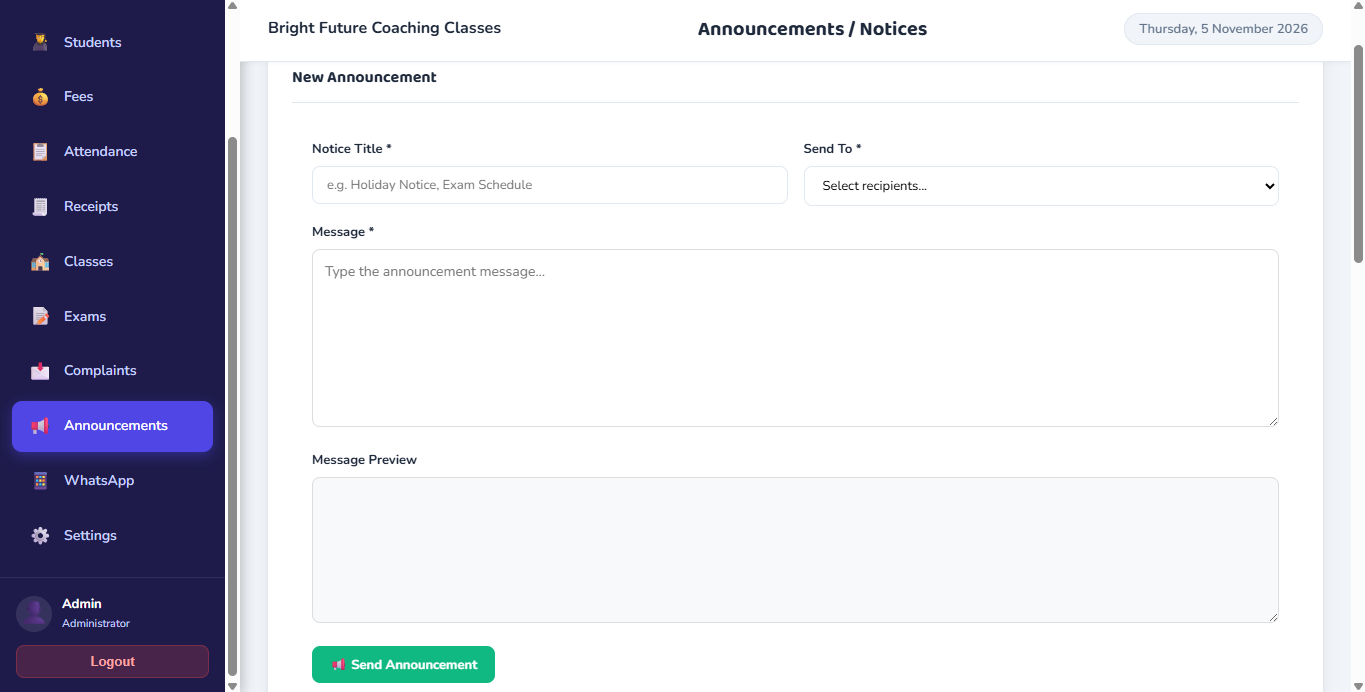
Create circulars with custom title and message. Target all classes, a specific class, or class & division. Preview, confirm before dispatch, and reuse past notices.
Complaints Management
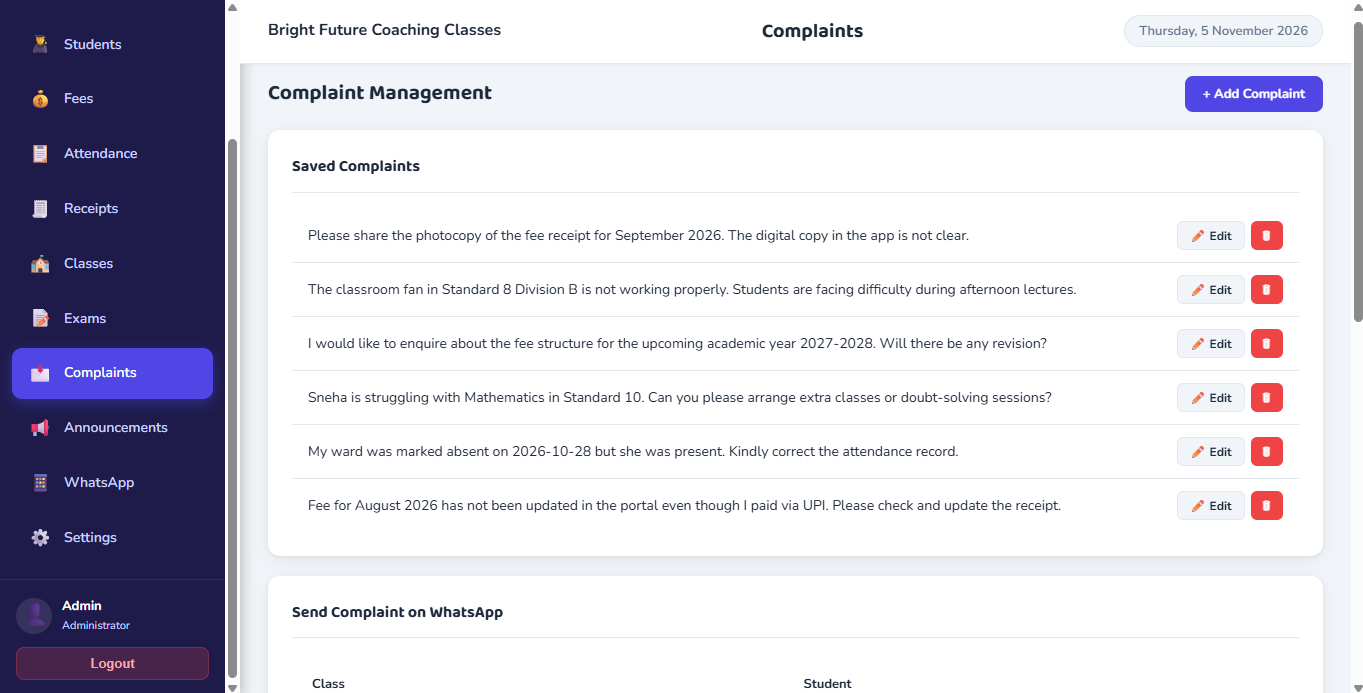
Maintain structured records of student grievances and parent queries. Log complaint descriptions, review details, and maintain historical resolution notes.
Settings & Administration
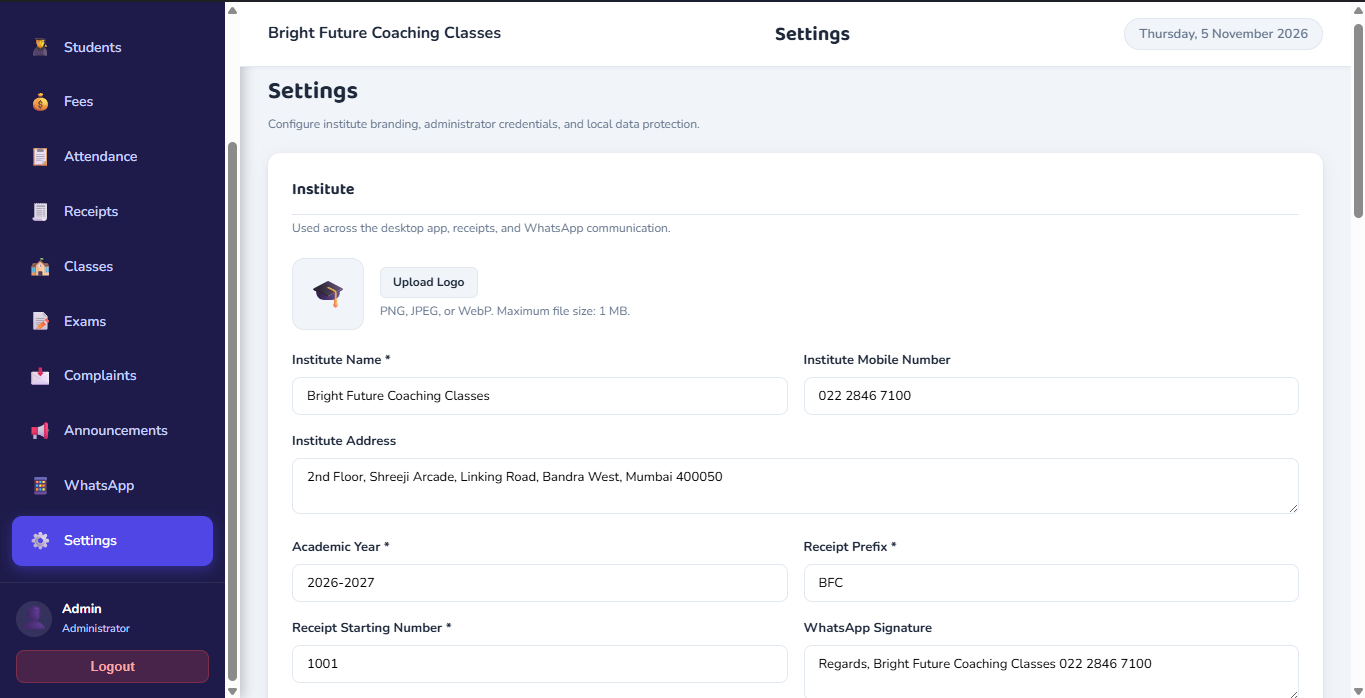
Admin login authentication, institute profile configuration, custom WhatsApp message signature, and core software preferences.
Targeted Class Announcements
Compose announcements targeted by class and division with preview verification, and review complete broadcast history.
Complaints & Grievance Tracking
Log parent queries, student complaints, and maintain a historical resolution audit trail.
Institute Identity, Signatures & Admin Controls
Personalize your institute profile, upload your logo, configure custom WhatsApp signatures, and manage local admin credentials.
Local SQLite Database & Encrypted Backup Snapshots
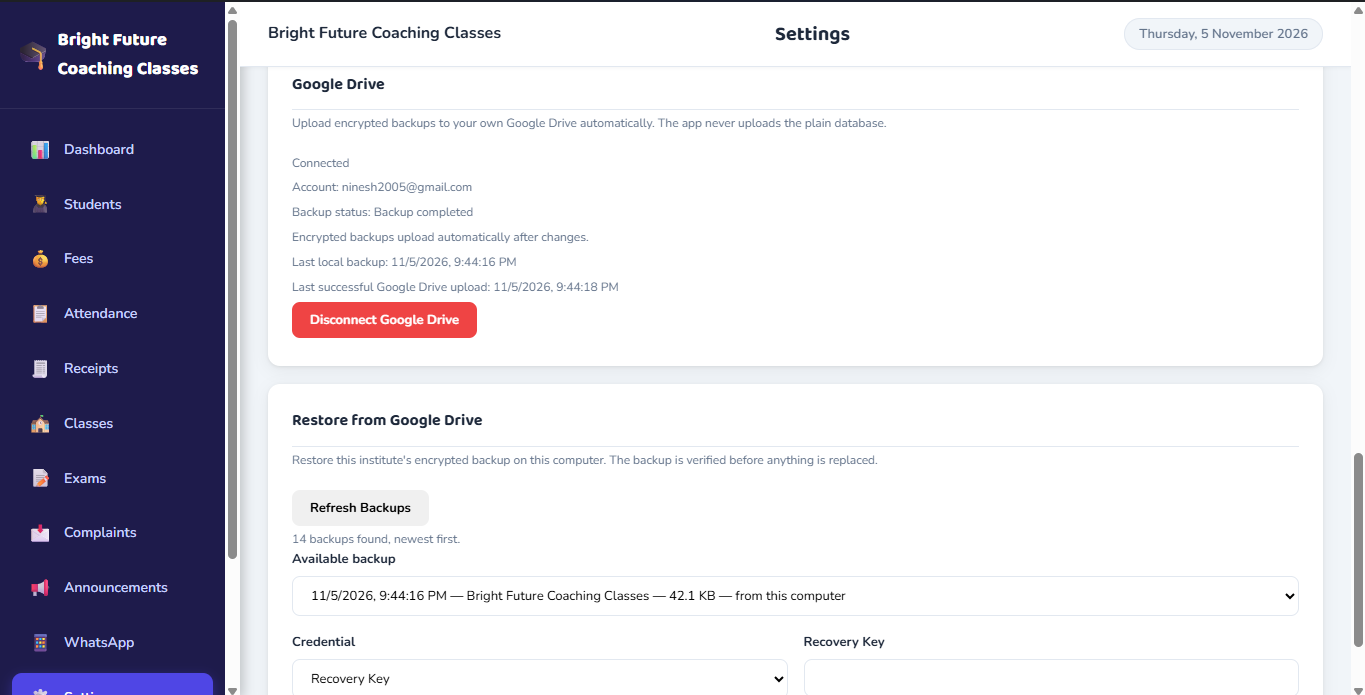
Your student roster and financial records reside directly in a dedicated SQLite database on your machine. ClassBee provides manual backup and restore tools, along with encrypted snapshot integration to your personal Google Drive for disaster recovery.
Primary operations execute against a local SQLite file in your operating system application directory.
Create manual local database backups anytime. The restore workflow verifies the database structure and creates a safety copy before restoring.
Export encrypted database snapshots to your Google Drive account, protected by a Recovery Key and optional passphrase. Used for disaster recovery, not live cloud sync.
See the Complete ClassBee System in Action
Our team will walk you through student admissions, flexible fee billing, attendance marking, WhatsApp messaging, and report cards during a personalized live demonstration.