Your Data Stays on Your Machine. By Architecture.
In an era of frequent cloud data breaches and vendor lock-in, ClassBee puts institute directors back in complete control. All student records, fees and ledgers are stored locally on your physical workstation.
Why Offline Local Storage is Superior for Coaching Institutes
Web-based platforms store your institute phonebooks, payment records, and student demographics on multitenant cloud databases. ClassBee eliminates that risk entirely:
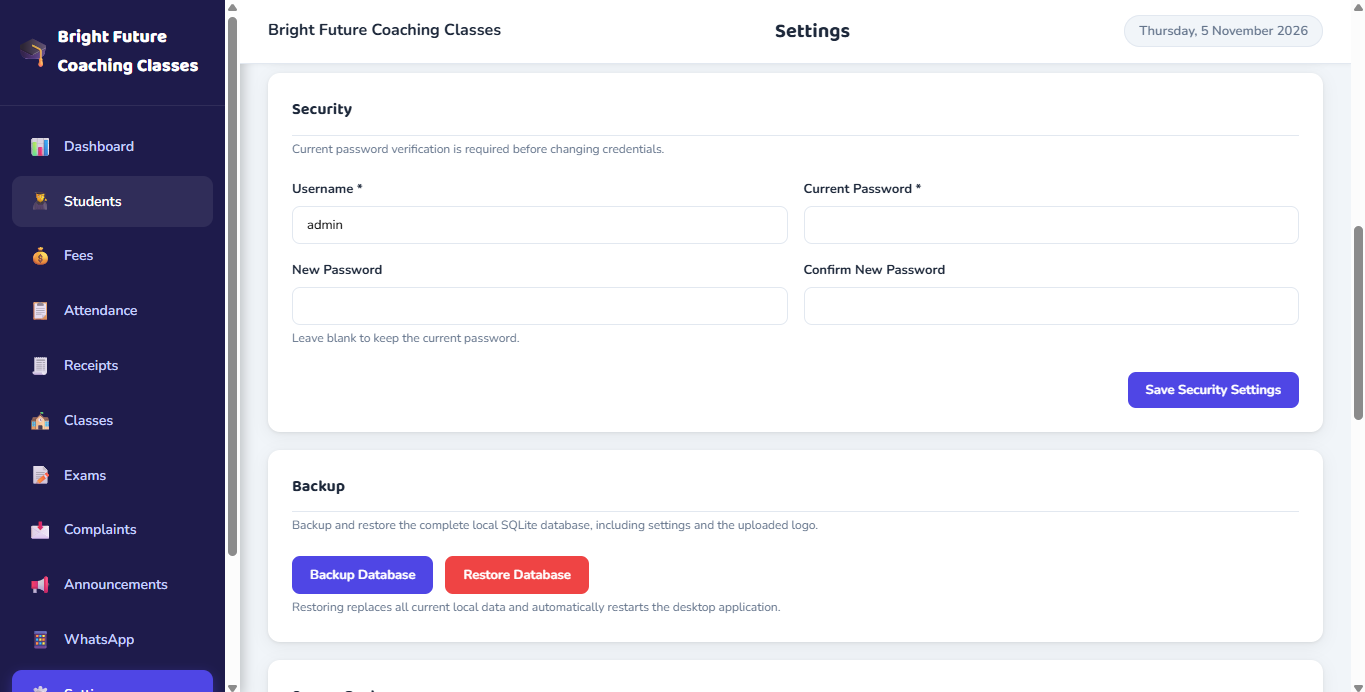
Enterprise Protection Engineered into Desktop Software
Discover the technical safeguards running beneath ClassBee's clean user interface.
Local Machine Storage
Application data is stored in your operating system application directory (%APPDATA%) in a dedicated local SQLite database.
Encrypted Snapshot Archives
Database backup snapshots are encrypted with strong cipher safeguards before being stored in your private Google Drive.
JWT Session Verification
Internal desktop communication between the UI and local engine is validated with JSON Web Tokens.
Bcrypt Password Hashing
Administrative credentials are cryptographically salted and hashed using bcrypt. Passwords are never stored in plain text.
Local Database Architecture
Core records — admissions, fee tracking, attendance registers and receipts — are stored in a local SQLite database on your physical workstation.
Manual Backup & Restore Workflow
Includes manual local database backup, recovery key validation, optional passphrase protection, and safety copy workflows.
AES-Encrypted Snapshots to Your Personal Google Drive
Hard drive failures, operating system crashes, or stolen laptops are real threats. ClassBee includes an integrated backup engine that exports encrypted snapshots directly to your personal Google Drive account.
Notice: Google Drive is utilized as an encrypted disaster-recovery backup repository, not live cloud synchronization. Does not imply production OAuth approvals or guaranteed recovery in every external hardware failure.
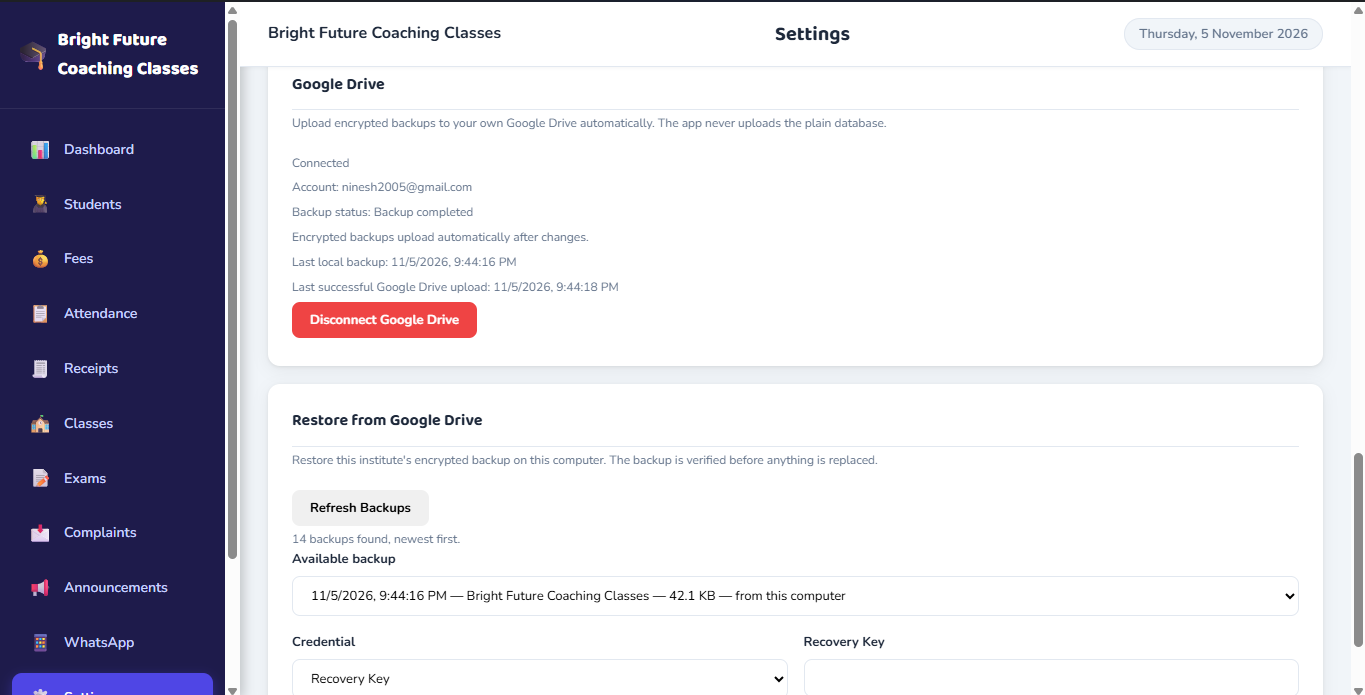
Recovery Checklist & Integrity Safeguards
Protect Your Student Data and Institute Finances
Schedule a demonstration to see how our local SQLite database and encrypted Google Drive backup safeguard your institute.